GOODCAR - VIN & Plate Lookups
- 4.4
- Rating
- 10.00K
- Installs
- Free
- Price

 Analysis by App-foxy
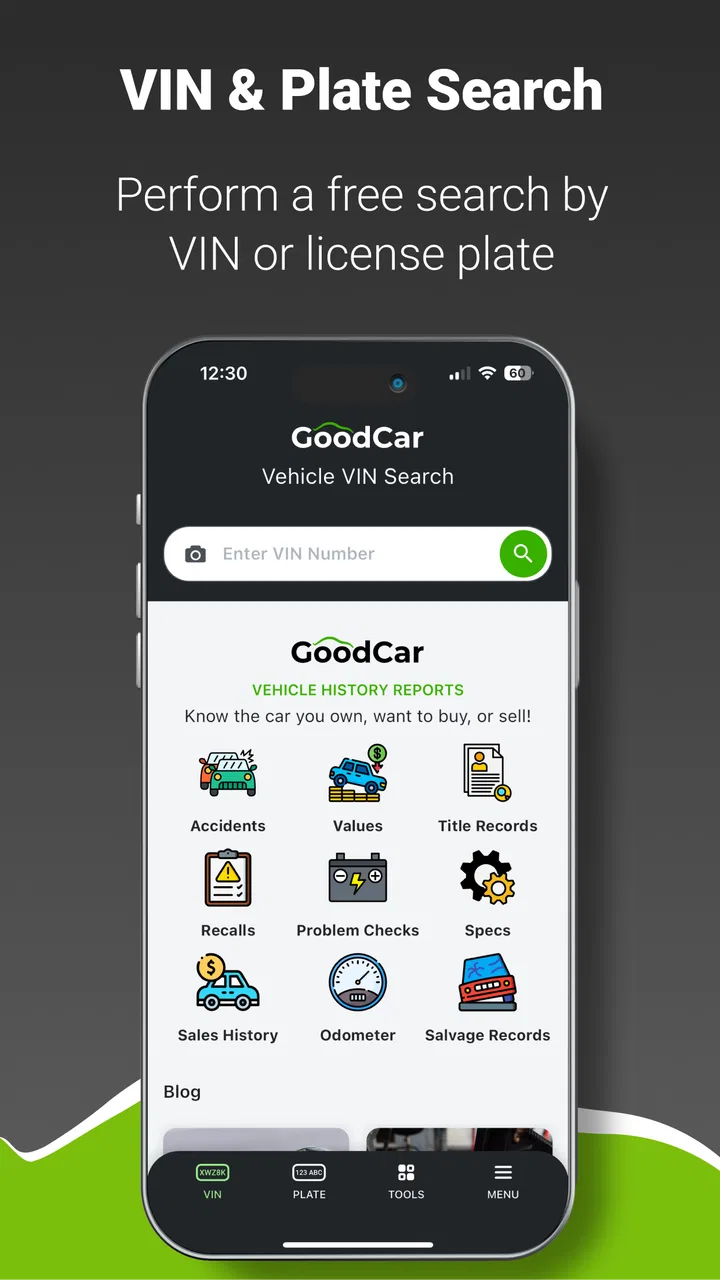
When I look at a used vehicle, I want more than a clean photo and a reassuring seller message. I want a practical way to investigate the car before I spend time arranging a viewing or money on a purchase. GOODCAR - VIN & Plate Lookups is built around that exact moment: using a phone to research a vehicle while I am browsing a listing, standing beside a parked car, or deciding whether a deal deserves further attention.
Developed by Infopay Inc., this free Auto & Vehicles app presents itself as a research companion rather than a complete buying service. That distinction matters. It can fit neatly into the early stages of checking a vehicle, but it should not replace a physical inspection, a professional mechanic, or careful paperwork review. In my experience, its value depends heavily on having a reliable connection and on treating the information it returns as a starting point for questions, not as a final verdict.
How GOODCAR fits into real vehicle research
I use GOODCAR as one checkpoint in a larger vehicle-research routine, not as a verdict on whether a car is worth buying. The useful question is what I need to learn before I move from browsing to contacting a seller or arranging an inspection. With that purpose clear, the next step is choosing the right identifier and checking it carefully.
You May Also Like

 Blood Strike: 2.5 Anniversary
Blood Strike’s Loadouts Turn Every Drop Into a Tactical Gamble
A close look at Blood Strike’s custom loadouts: how fast access to signature weapons reshapes its battle royale rhythm, rewards preparation, and narrows the gap between fights.

 Pandora - Music & Podcasts
Pandora’s Music Is Easy to Start, but Harder to Recover
Pandora’s strength is its low-effort path from a seed to a station. Its weak spot is how much confidence it asks you to place in connection, setup, and quiet recovery.

 8 Ball Pool
8 Ball Pool Is Built on Rivalries, Rematches, and Routine
A close look at the rivalries, rematches, shared routines, and unanswered safety questions that turn a quick pool match into a persistent mobile community.

 Samsung Music
Samsung Music’s Quiet Strength Is Playing What You Already Own
Its reach comes less from spectacle than from dependable access to a personal library. That simplicity is both the app’s strongest retention engine and its ceiling.

 AccuWeather: Weather Radar
AccuWeather Review: A Quick, Clear Forecast for Everyday Decisions
For everyday plans, the best forecast is the one you can understand quickly. AccuWeather makes rain timing, radar, and local conditions easy to act on, with a few trade-offs.

 Hill Climb Racing
Why Hill Climb Racing Still Turns Crashes Into One More Run
A tiny car, a bumpy hill and one more upgrade: Hill Climb Racing keeps resurfacing because its simple chaos makes every near-miss feel personal.
More From Our News Desk



The useful moment is usually before the test drive
The most natural workflow is simple. I find a vehicle that interests me, open the app, enter the identifying information available to me, and use the result to decide what deserves closer attention. That can save time when I am comparing several listings, especially if one vehicle already raises questions because of its age, price, description, or seller history.
A VIN lookup is most useful when I already have a specific car in front of me. A plate lookup can be more convenient in a mobile situation, such as when I am walking through a dealership lot or checking a car parked outside a private seller’s home. The practical advantage is not that the phone magically makes a buying decision for me. It is that the lookup can help me turn vague suspicion into a focused follow-up question.
I would use the app before contacting a seller, then again before committing to a viewing if the listing remains interesting. That two-step habit is more sensible than treating one search as definitive. The first check helps filter options; the second gives me a chance to compare the information with what the seller says and what I can physically see.
Connectivity is part of the experience
Because the app performs VIN and plate research, the moments that matter most are network-dependent. I need to think of it as a connected lookup tool, not as a reference book stored entirely on my phone. In a strong signal area, the process feels direct: enter the details, wait for the response, and continue investigating. In a basement garage, rural driveway, crowded event, or dealership corner with weak reception, the same workflow can become less predictable.
This changes how I plan to use it. I would not make the app my only preparation before visiting a vehicle. If I am traveling a long distance to see a car, I would perform the initial research earlier, while I have a dependable connection, and keep the seller’s listing, messages, and notes available separately. That way, a failed lookup at the viewing does not erase the work I already did.
The connection requirement also affects battery and attention in a less obvious way. A buyer who is comparing many cars in one afternoon may be repeatedly switching between listings, messages, camera use, and lookup screens. The app itself may be quick, but the overall process can still become tiring. I get better results when I decide what I need to verify before opening it instead of entering random searches simply because I am curious.
Using it on a phone without slowing yourself down
A mobile lookup makes the most sense when I have the identifying information ready. Before starting, I would copy the VIN carefully from the listing or photograph the relevant paperwork only when I have permission to do so. A single mistyped character can send the investigation in the wrong direction, so I would compare the entered sequence with the vehicle or document rather than relying on memory.
For plate-based research, I would confirm that I am using the correct plate and jurisdiction details where the app asks for them. Plates can be easy to misread in poor light, and a dirty or partially obscured plate creates a different problem from a weak connection. Good mobile design cannot correct inaccurate input.
One of the app’s strengths is that it can sit inside a broader buying routine. I can keep a short note for each candidate vehicle, record the lookup date in my own notes, and list questions that come from the result. This is more useful than relying on memory after checking several similar cars. The app becomes a checkpoint in my process rather than the entire process.
There is also a privacy-minded reason to avoid casual searching. A plate or VIN is tied to a real vehicle, so I would use the tool for legitimate research and avoid collecting identifiers that have nothing to do with a purchase, repair, insurance matter, or another valid need. Responsible use is especially important when a phone makes searching feel effortless.
What to do when a lookup fails or feels incomplete
A failed search does not automatically mean that the vehicle is suspicious. It may reflect an incorrectly entered identifier, a poor mobile connection, a temporary service problem, or information that needs to be checked through another channel. My first recovery step would be to recheck every character and confirm that I selected the right lookup route.
If the connection is unstable, I would move to a place with better reception rather than repeatedly tapping the same button. Repeated attempts can waste time and make it harder to tell whether the problem is the network or the input. If I am at a dealership or with a private seller, I would explain that I am verifying the identifier and ask to see it again clearly.
The important habit is to preserve context. I would write down the vehicle’s make, model, seller description, and the question I was trying to answer before retrying. If the result later differs from what I expected, those notes help me identify whether the issue came from a typo, a changed listing, or a genuine inconsistency.
I also would not pressure the app to provide certainty where the vehicle itself needs inspection. A lookup can guide my next question, but it cannot tell me everything about current mechanical condition, hidden wear, accident quality, or how the car was maintained today. If the seller refuses to provide a readable identifier, avoids reasonable questions, or discourages independent inspection, that behavior matters regardless of what appears on the screen.
Reading results as evidence, not as a purchase button
The best way to use a vehicle research app is to separate facts from conclusions. I might see information that makes a listing worth investigating, but I still need to compare it with the title, service records, inspection findings, and the seller’s explanation. I would treat an unexpected result as a prompt to slow down, not as proof that the vehicle is automatically bad.
That approach prevents two common mistakes. The first is rejecting a potentially good car because of a misunderstood entry or an issue that has a reasonable explanation. The second is becoming overconfident because a lookup appears clean. A clean-looking result cannot guarantee that the car is mechanically sound or that every detail in a listing is accurate.
For me, the most valuable output is often a better conversation. Instead of asking a seller broad questions such as whether the car has “any problems,” I can ask about a specific discrepancy, maintenance gap, ownership detail, or part of the vehicle’s history that needs clarification. The app earns its place when it improves the quality of that conversation.
Free access, paid choices, and deciding when to stop
The app is free to install, which makes it easy to add to a vehicle-shopping toolkit without an upfront commitment. It also includes in-app purchases ranging from about ten dollars to about twenty-five dollars per item. That pricing detail is important for anyone who expects to run many searches or wants to investigate several vehicles in one session.
I would decide my budget before using paid lookup options. If I am casually browsing, I would begin with the information available at no cost and pay only when a particular vehicle is serious enough to justify deeper research. If I am comparing a large number of cars, I would first check how the purchase structure fits my workflow rather than assuming that repeated searches will be economical.
There is a useful trade-off here. Paying for a focused report may be worthwhile when I am close to making an offer, but it is less sensible to spend on every vehicle that catches my eye online. The app works best when I use it as a filter: narrow the field first, then invest more attention in the strongest candidates.
Who will get the most from it
I think the app is a good fit for used-car shoppers who want a quick research step between seeing a listing and arranging an inspection. It can also help parents checking a first car for a family member, buyers comparing several private-sale options, and drivers who want to organize questions before speaking with a seller. Its Everyone content rating makes it broadly approachable, while the minimum operating-system requirement is Android 7.0 or later.
It is less suitable for someone who expects a full buying platform with negotiation, financing, inspection booking, and ownership transfer all in one place. It is also not the right tool for a buyer who has no reliable mobile connection and cannot prepare searches ahead of time. In that situation, a desktop research session or direct consultation with a qualified professional may be more dependable.
I would also skip making it the decisive tool for a high-value purchase. The more expensive or important the vehicle, the more I would value an independent inspection and direct document review. A lookup app can reduce uncertainty, but it cannot remove the need for judgment.
How it compares with the usual alternatives
The usual alternative is to search a vehicle manually across several websites, save screenshots, and ask the seller for records. That approach can provide broader context, but it is slower and easier to lose track of when I am standing beside a car. GOODCAR’s appeal is concentration: it puts the lookup step into a phone-first workflow instead of making me assemble every detail from unrelated pages.
Another alternative is relying only on a dealership or seller-provided report. That may be convenient, but I prefer having an independent research step before I accept the seller’s framing of the vehicle. The app does not replace a report from a trusted professional, yet it can help me decide whether that additional expense is justified.
Compared with a mechanic, the app is faster and more accessible but much narrower. A mechanic can inspect current condition, identify wear, and interpret physical evidence. GOODCAR can help me arrive at that inspection with sharper questions. The strongest combination is therefore not app versus mechanic; it is app first, professional inspection when the vehicle remains a serious candidate.
Performance expectations and version context
The current version is 2.2.8, and the app has built a 4.4 average from roughly three hundred ratings, alongside more than forty written reviews. Its install count is above ten thousand, so it has a meaningful user base without being one of the enormous mass-market automotive platforms. Those figures suggest a focused tool that many people find useful, while still leaving room for individual experiences to vary.
Since it was released in April 2024, I would approach it as a relatively young product rather than a decades-old standard. That is not automatically a weakness, but it makes practical testing more important. I would keep the app updated, check that it behaves properly on my phone, and avoid planning a major purchase around a single untested workflow.
My own preparation would be straightforward: install it before the viewing day, try the interface with a vehicle I am already familiar with, and learn where the paid steps appear. That small rehearsal answers more useful questions than a store description can. It tells me whether I can enter identifiers comfortably, understand the result, and recover if the network drops at the wrong moment.
My connectivity verdict
GOODCAR - VIN & Plate Lookups is most convincing as a connected research checkpoint. It helps me investigate a vehicle while the decision is still flexible, and its mobile format suits the messy reality of shopping from listings, lots, driveways, and roadside conversations. The experience is strongest when I have accurate identifying information, a stable connection, and a clear question in mind.
I would recommend it to a careful buyer who wants another layer of vehicle research and is willing to verify what the app shows through documents and inspection. I would not recommend using it as an offline safety net, a substitute for a mechanic, or a guarantee that a car is worth buying. Network trouble, input mistakes, paid lookup choices, and incomplete context can all reduce its usefulness if I rush.
My final view is positive but measured: install it before serious used-car shopping, use it selectively, keep your own notes, and treat every result as evidence that guides the next step. For that role, the free app from Infopay Inc. is practical and easy to justify. Its real value is not making the purchase decision for me; it is helping me decide which questions deserve an answer before I hand over money.
FAQs for GOODCAR - VIN & Plate Lookups
01What is GOODCAR - VIN & Plate Lookups used for?
GOODCAR is designed to help users research vehicles before buying, selling, or maintaining them. By entering a vehicle identification number (VIN) or, where supported, a license plate, you can review available history and specification information. The app may help identify recalls, title concerns, accident records, mileage inconsistencies, ownership details, and other warning signs, although the amount of information depends on the vehicle and the databases available in your region.
02Does GOODCAR provide a complete and guaranteed vehicle history report?
No vehicle-history application can guarantee that every event in a car’s past will appear in its report. GOODCAR gathers information from available public, commercial, and industry sources, but unreported accidents, incomplete maintenance records, delayed database updates, or incorrect entries may affect the results. Treat the report as a useful screening tool rather than final proof, and confirm important findings with an independent inspection and official documentation.
03Can I search a vehicle using its license plate instead of the VIN?
GOODCAR supports vehicle searches through the methods and regions available in the app, which may include VIN and license plate lookups. Plate-based searches can be convenient, but coverage and accuracy vary by state, country, and database. In some cases, the plate may return limited information or require additional details. For the most precise identification, the VIN found on the dashboard, door frame, registration, or title is generally preferable.
04Is GOODCAR free to download and use?
The app may be free to install, while particular reports, advanced searches, or additional vehicle-history details can require payment, credits, or a subscription. Pricing and available features may change, so review the purchase screen carefully before confirming anything. Check whether a subscription renews automatically, what the trial period includes, and how cancellation works through the Google Play Store or Apple App Store.
05How reliable are GOODCAR’s results when deciding whether to buy a car?
GOODCAR can be a practical first step when comparing used vehicles, especially for spotting recalls, reported damage, title issues, or suspicious mileage patterns. However, its results should not replace a mechanic’s inspection, a test drive, or verification of the seller’s paperwork. If the report contains missing, conflicting, or serious information, contact the relevant authority or manufacturer and investigate further before making a purchase.
Pros
- Quick VIN and license plate lookups from a mobile device
- Useful for checking a used car before contacting the seller
- Presents vehicle history details in an easy-to-read format
- Can help identify recalls
- theft records
- or title concerns
- Convenient alternative to visiting multiple vehicle-history websites
Cons
- Some reports may require payment or additional credits
- Available information can vary by vehicle and country
- Results may not include the newest incidents immediately
- License plate searches may be limited in certain regions
- Vehicle-history data is not a substitute for a professional inspection

GOODCAR - VIN & Plate Lookups
Gallery